Make room on your Mac. Lose nothing.

Brisa measures what fills your disk and shows you the plan with names and numbers. Nothing moves without your permission.
macOS 14 or later440 KB · no account · no networkBeta 0.1.0 · ad-hoc signed

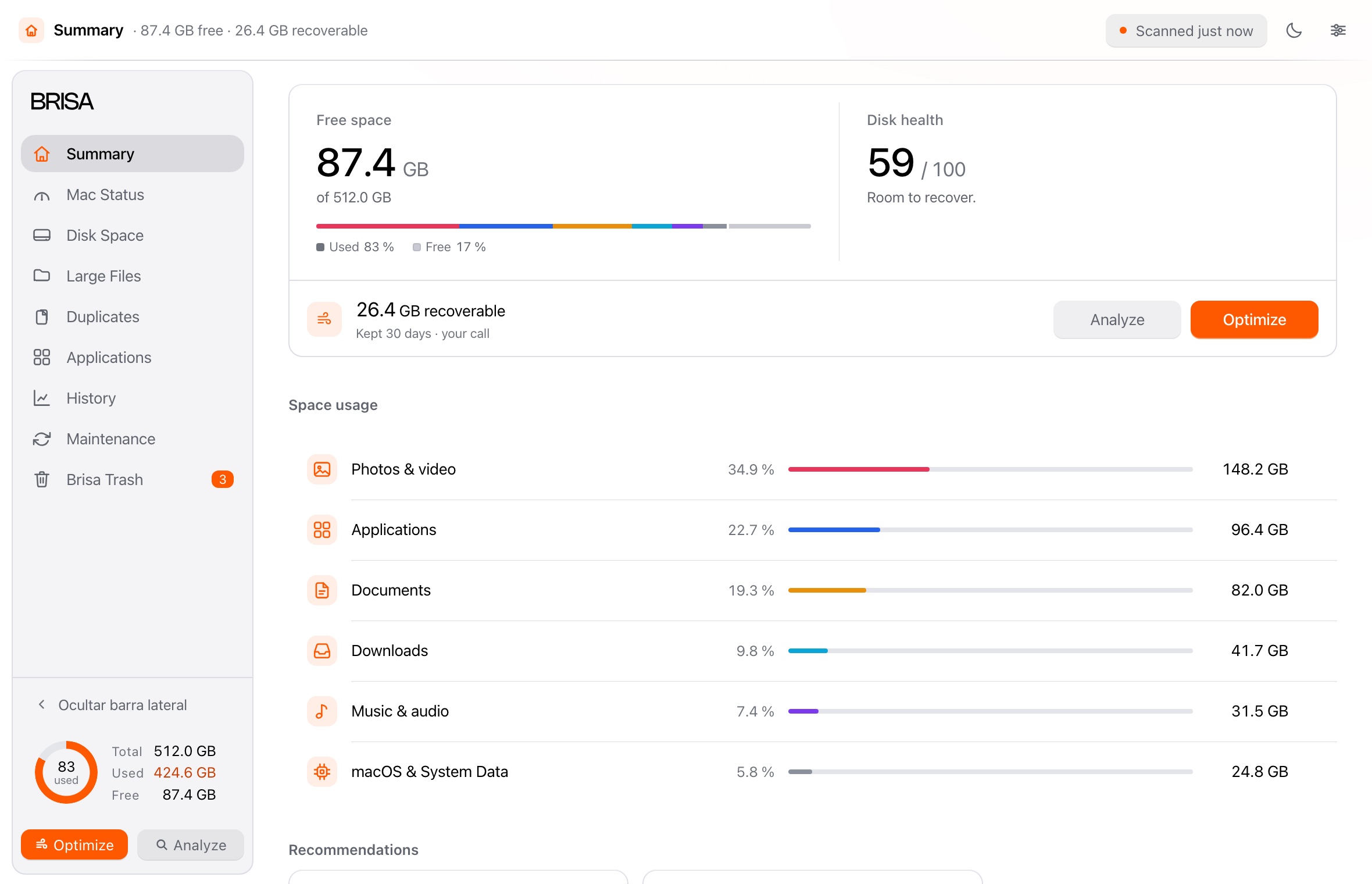
Brisa’s Summary: free and recoverable space, disk health, and the split by category.

Disk space

See it all before anything moves.

One scan measures the whole disk: what each thing takes, and what you have not opened in months.
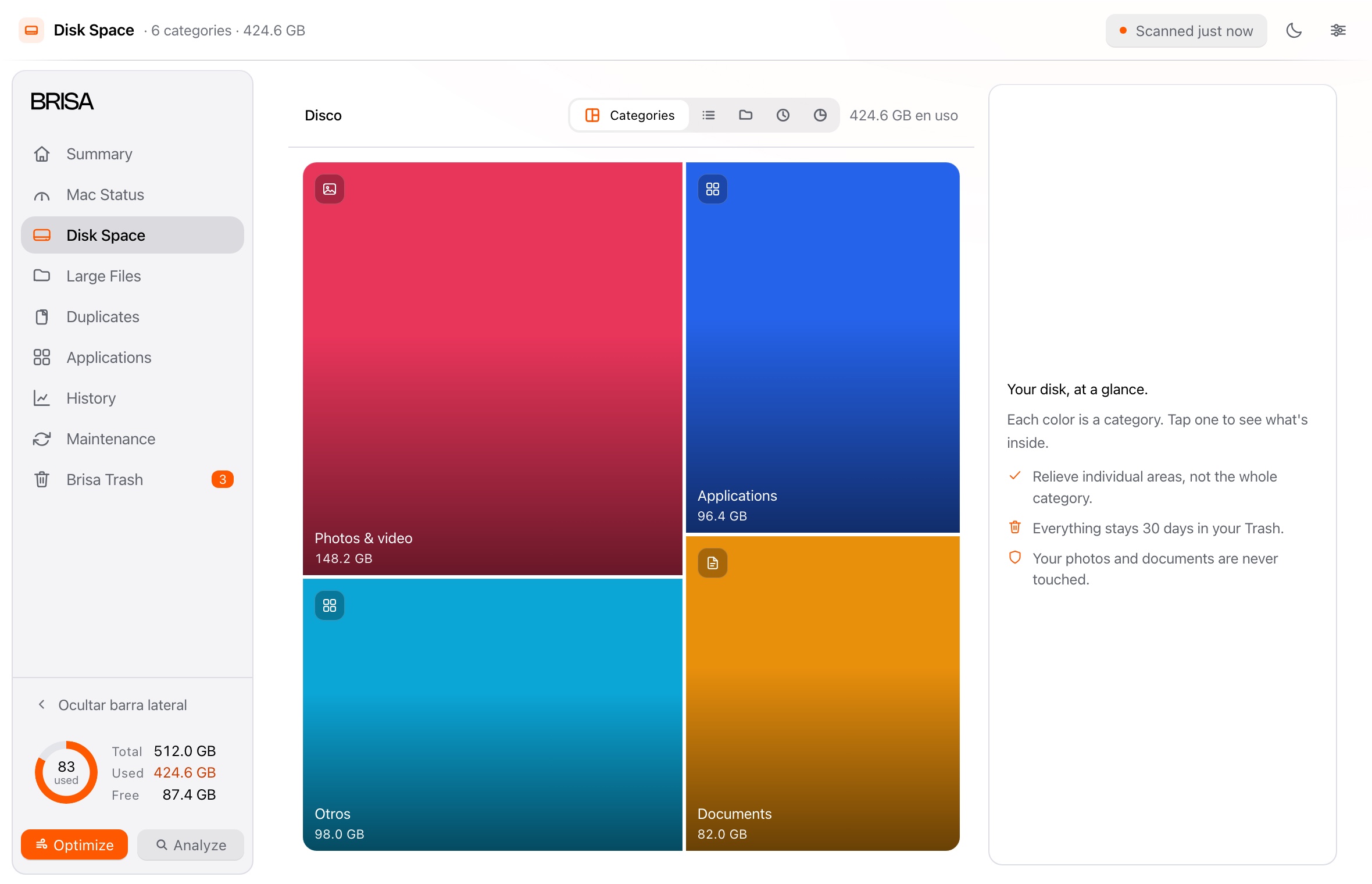
  • Results appear while it scans.
  • Each item is picked on its own; a whole category is never emptied.
  • Photos and documents stay off the list.
Disk space in Brisa: the category map with what each one takes, and the detail panel beside it.

Applications

An app leaves a trail.

Dragging an app to the Trash takes it out of sight, not out of the system. Brisa also finds what it leaves behind on the disk.

  • Sorted by size or by last use, with search.
  • What other apps share stays untouched.
  • macOS apps are left out.

Uninstalling is final: Brisa warns you first. A cleanup always goes through the Trash.
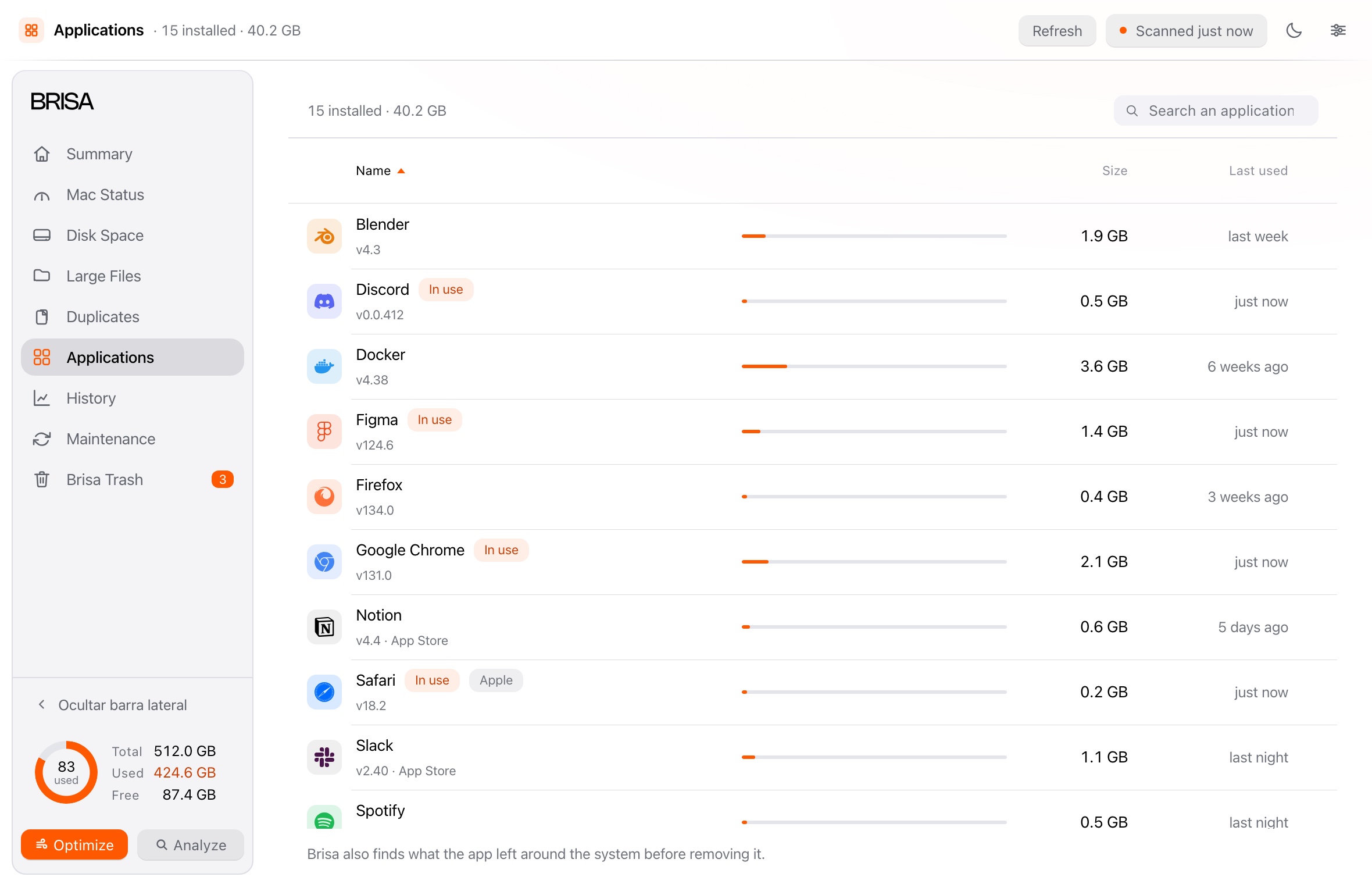
Installed applications in Brisa, sorted by size, with search and a mark on the ones currently in use.

Safety

Careful by default.

Cleaning up should never be the reason you lose something.

Nothing is deleted: everything goes through the Trash. Kept for 7, 30 or 60 days, and it goes back whenever you want.reversible
Nothing is deleted without you. You see the plan first; then you decide.with your say-so
Uninstalling cannot be undone, and it says so. Whatever the app left behind on the disk goes too.with a warning
Your things stay untouched. Photos, documents and music stay out. Always.untouched
No account, no network. Nothing is sent anywhere: the whole scan happens on your Mac.local
One permission, and you decide. Without it, less is measured; with it, everything. Take it back whenever you want.optional

How all of this is kept

Questions

The questions we get most.

Which Macs does Brisa need?

macOS 14 (Sonoma) or later. It asks for no permissions when it opens, works offline and needs no account.

Does Brisa delete anything on its own?

No. It scans first and shows you the plan. Nothing moves until you confirm.

Why does macOS warn me the first time I open it?

Because this beta is not signed by Apple. The warning does not mean anything is wrong with Brisa. The steps are on the download page.

What does Brisa send over the network?

Nothing, unless you ask it to. The single exception is “Help improve Brisa”, and it sends only what you decide.

What if I do not give it Full Disk Access?

It works all the same: it measures everything else and tells you what is missing. The permission can be withdrawn whenever you want.

Give your Mac room to breathe.

Download it and see how much space comes back.

macOS 14 or later440 KB · no account · no networkBeta 0.1.0 · ad-hoc signed